Browse help topics
The Entity Connector
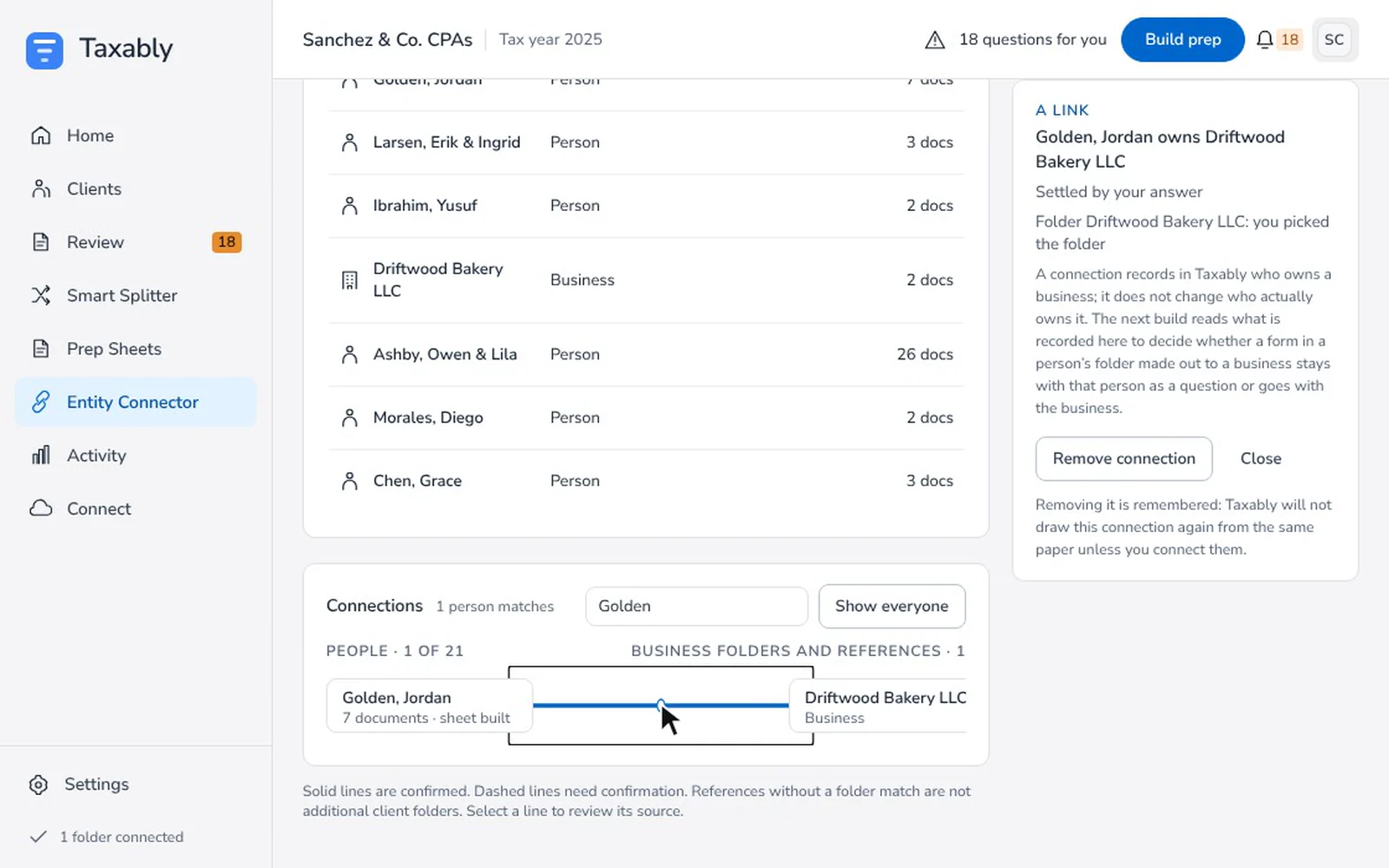
The Entity Connector records who owns which business among your clients, so a business's form that lands in an owner's folder is placed the right way. It is optional.
- Applies to
- Taxably Connect 3.3.9 and later
- Last reviewed
What it is
A map of who owns which business among your clients. It records who owns which business, and Taxably reads it when a business's form turns up in an owner's folder.
What it does
On the next build, a form made out to a business that sits in an owner's folder either stays with that person as a question or goes with the business, depending on what is recorded here. In the screen's own words: "A connection records in Taxably who owns a business; it does not change who actually owns it." It never changes a return on its own.
Why use it
For clients with an S corporation, a partnership or an LLC whose K-1s and business paper land in the wrong folder. Record the owner once and you stop answering the same "whose is this?" question every season.
It is optional
Nothing waits on it. A firm that never opens it still gets every prep sheet. Where ownership is unclear, the question comes to the Review screen instead.
Use it
- Open Entity Connector on the left. People and businesses are listed, with the map beside them. "Solid lines are confirmed. Dashed lines need confirmation."
- To confirm a dashed suggestion, select the line and press Yes, they own it, or No, remove this connection.
- To add an owner, drag the person onto the business. Or select the person and press Connect to a business.
- To remove a link, select it and press Remove connection, then press it again to confirm. Taxably remembers that as a no. Undo puts back one you removed a moment ago.
A link takes effect at the next build. Until then the screen says it is waiting.
When it refuses
- "Taxably has not reached (folder) yet": it cannot tell whether the folder is a person or a business. Select the folder's tile and choose Person or Business, or build that client first.
- "(folder) is a business. Drag the person who owns it onto (business) instead": an owner here is always a person.
- "(person) and (business) are on different connected folders, and Taxably draws ownership within one folder": both folders must be in the same connected folder.
Related articles
- Confirm folders Taxably is not sure aboutWhen a folder's name could be a person or a business, Taxably asks you before it prepares anything, with three answers to choose from.
- The kinds of questions, and what each answer doesEvery question Taxably asks names the document, what it found and why it is asking. Here is each kind, with what your answer changes.
- When Taxably says something you didn't expectThe messages Taxably Connect shows, word for word, grouped by where you meet them, each with what it means and what to press.
- Build prep sheetsChoose your clients in Build prep, see what the build adds to your bill, and confirm. Taxably reads their documents and writes each client's sheet.
Still stuck?
Email support@taxably.ai, or send your question from Help and support.